
If you've ever spent time cracking open Photoshop to drop artwork onto product images, you know how repetitive mockup creation can be.
Dynamic Mockups helps automate that process by generating product mockups from your artwork files. And with Zapier, you can connect Dynamic Mockups to the tools you already use to create mockups automatically whenever artwork is submitted, approved, or updated.
The result? Faster mockups, fewer manual steps, and more time spent selling instead of editing images.
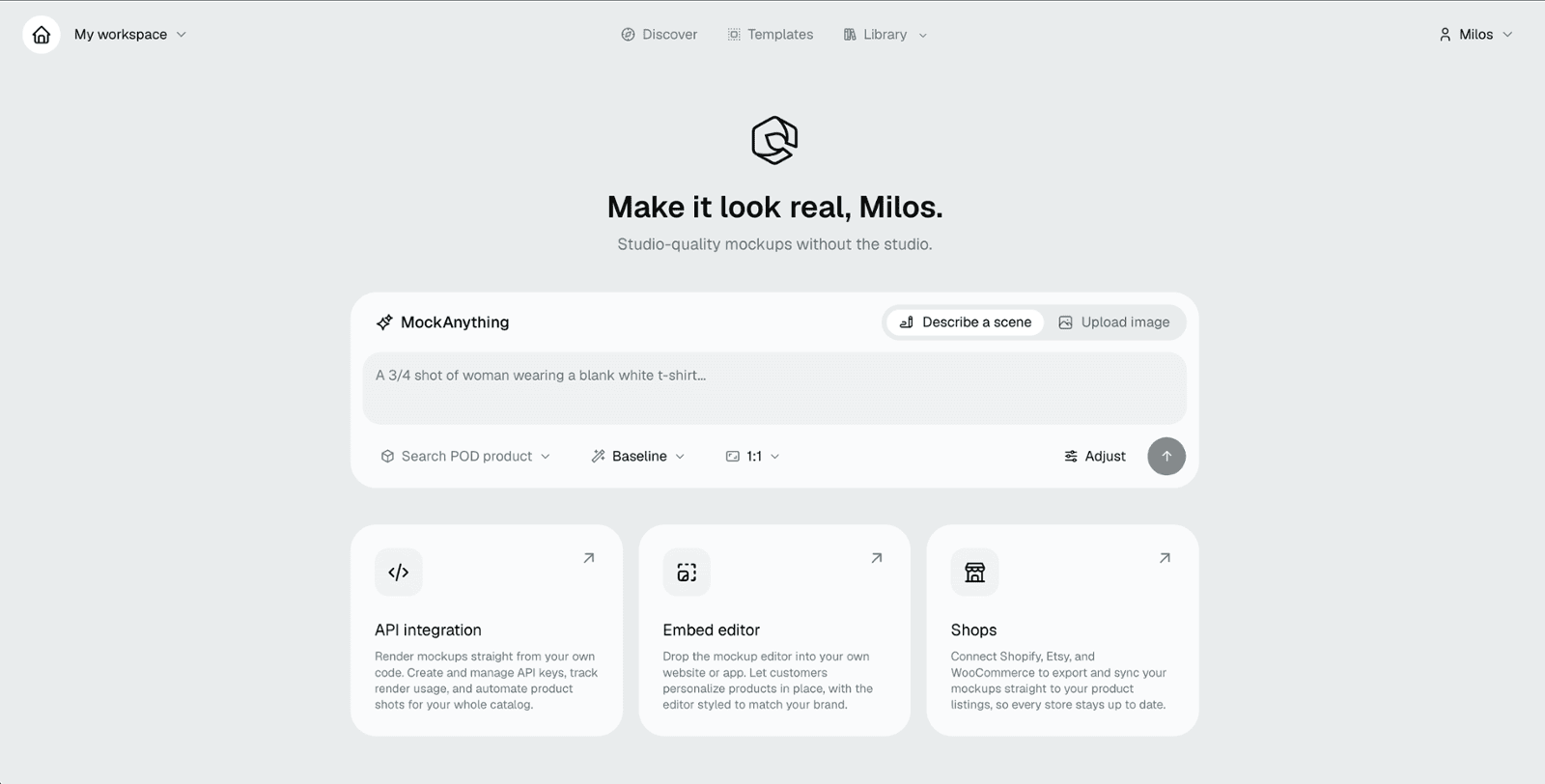
What is Dynamic Mockups?
Dynamic Mockups is an API-first mockup generation platform that lets you automate the creation of on-product visuals - think decorated apparel, branded drinkware, custom bags, and hundreds of other promo items. You bring the design; Dynamic Mockups places it accurately onto professional product templates built from real Photoshop PSD or AI generated images. The result looks like a human designer did it, but it happens in seconds via API.
For the promo people like us, this matters in a few key ways:
- Presentations that actually win business. Instead of sending a client a spec sheet, you can send them a photorealistic visual of their logo on the product - fast enough to do it during a sales call.
- Automated decoration previews at order time. When a customer uploads their artwork, Dynamic Mockups can render a mockup automatically and surface it back to them without anyone on your team touching it.
- Bulk rendering across your catalog. Managing hundreds of SKUs? The platform supports batch rendering, so you can generate mockups across color variants, product lines, and design options without repeating manual work.
- Embedded directly into your workflow. Dynamic Mockups plays nicely with no-code tools, including Zapier - which is exactly what the workflows below are about.
Whether you're a distributor looking to level up your client presentations, a decorator streamlining order confirmations, or a platform builder adding visual personalization to your product, Dynamic Mockups gives you the infrastructure to make it happen without building everything from scratch.
Now let's get into what you can actually do with it.
What You Can Automate with Zapier
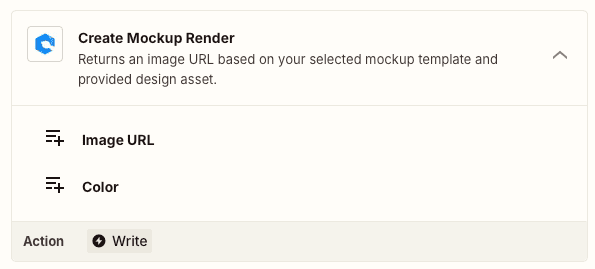
The current Dynamic Mockups Zapier integration includes a single action: Create Mockup Render. All you need is a Dynamic Mockups template and an image supplied to Zapier.
The action returns an image URL that can be used in emails, Slack messages, project management tools, CRMs, and more. While simple, this action becomes powerful when combined with the right triggers and downstream actions.
1. 🎨 Create Mockups from New Artwork Uploads
Every time artwork is uploaded to a designated folder, Zapier generates a finished product mockup automatically. Perfect for virtual sample requests and client presentations.
- Trigger: New File in Google Drive, Dropbox, or OneDrive
- Action:Dynamic Mockups – Create Mockup Render
2. 📬 Automatically Email Product Proofs
A customer submits artwork through a form. Zapier generates the mockup and immediately sends an email containing the rendered image. No manual image editing required.
- Trigger: New Artwork Submission Form (we like Fillout)
- Action: Dynamic Mockups – Create Mockup Render
- Action: Send Email with Outlook, Google, etc.
More fun with Dynamic Mockups!
We recently had fun building an app that uses the Dynamic Mockups API to generate and distribute mockups using Zite. The app template for it and more is freely available at the link below.
3. 📣 Share Mockups in Slack
Notify your sales or production team with a freshly generated mockup as soon as artwork arrives. Everyone sees the same visual without hunting through folders.
- Trigger: New Design Request (a web form, project management tool, etc.)
- Action:Dynamic Mockups – Create Mockup Render
- Action: Send Slack Message
4. 🗂️ Attach Mockups to CRM Records
Automatically associate product visuals with client opportunities. Helpful when sales reps need quick access to branded product concepts.
- Trigger: New Deal in Zoho CRM or your CRM of choice
- Action:Dynamic Mockups – Create Mockup Render
- Action: Upload Image to CRM deal record
5. 📊 Build a Mockup Library in Airtable
Store every generated mockup alongside client information, project details, and artwork files. Great for future reference and repeat orders.
- Trigger: New Artwork Submission (a web form, project management tool, etc.)
- Action:Dynamic Mockups – Create Mockup Render
- Action: Create Airtable Record
6. 🛍️ Generate Product Images for Online Stores
When artwork is approved, generate product imagery automatically for use in company stores or e-commerce listings. This can eliminate a significant amount of manual image preparation.
- Trigger: New Approved Design
- Action:Dynamic Mockups – Create Mockup Render
- Action: Upload Image to Store Platform
7. 📱 Send Mockup Previews to Sales Reps
Give reps a quick preview of what their client's artwork looks like on a product before they jump into a meeting.
- Trigger: New Design Created
- Action:Dynamic Mockups – Create Mockup Render
- Action: Send SMS or Mobile Notification
Most distributors already have artwork moving through Google Drive, Dropbox, CRM systems, project management tools, and online forms. Dynamic Mockups lets Zapier turn those existing files into finished product visuals automatically.
That means faster image creation, fewer manual design tasks, more consistent mockups, better client communication, and less time spent jumping between applications.
For distributors handling virtual samples, company stores, or high volumes of artwork requests, even a small reduction in mockup work can add up quickly.
Need help building your first Zap or mapping out your ideal workflow?
Reach out to the team at PromoPilot — we specialize in automating the print and promo industry, and love making your day-to-day easier.